
If you like to start powercopies via toolbar or icon, you need to do some preparations:
1. Save the PowerCopy into a catalog [Insert/Knowledge Templates/Save in Catalog]
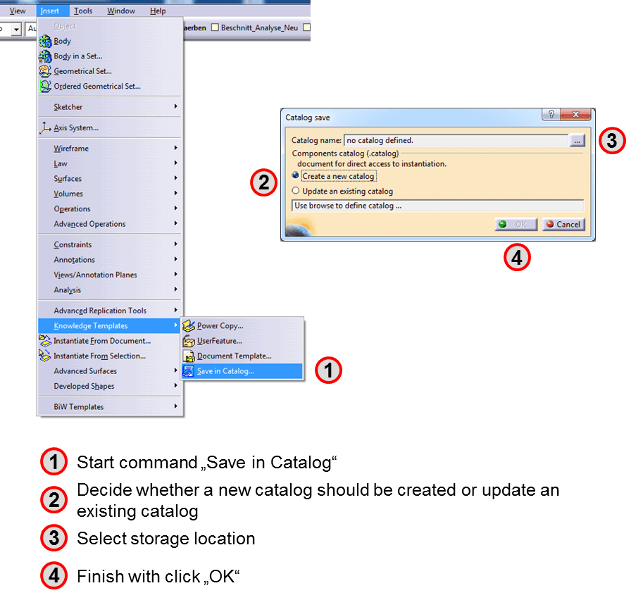
click to enlarge the image
2. Open the catalog
3. Publish PowerCopy

click to enlarge the image
4. Create new toolbar (optionally, you can also use an existing one) [Tools/Customize]

click to enlarge the image
5. Drag and drop PowerCopy onto toolbar [Tools/Customize]

click to enlarge the image
You can positioning the new toolbar everywhere on the screen or stick it in the top or side bar.
A click on the icon will open your PowerCopy.